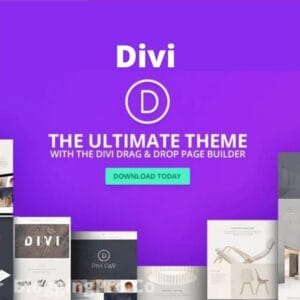
Introduction: Why Divi Builder is a Game-Changer
If you want a complete website-building solution inside WordPress, then Divi Builder is one of the most powerful tools available today.
Unlike traditional page builders, Divi is not just a plugin —
👉 It’s a complete visual website design system.
With the latest updates in 2026 (Divi 5), it has become:
- Faster
- More scalable
- More developer-friendly
👉 Making it one of the strongest competitors in the page builder ecosystem.
What is Divi Builder?
Divi Builder is a visual drag-and-drop page builder plugin for WordPress that allows you to design your entire website visually.
You can:
- Build pages
- Customize layouts
- Design headers & footers
- Create dynamic websites
👉 All without writing code.
Why Divi Builder is One of the Best Page Builders
Divi stands out because it combines:
1. Full Website Editing
You can design:
- Header
- Footer
- Blog layouts
- Product pages
👉 Complete control over your website.
2. Visual Builder (Real-Time Editing)
Divi’s visual builder lets you:
- Edit content live
- See changes instantly
- Drag & drop elements
👉 No backend confusion — everything is visual.
3. Divi 5 Performance Boost
The latest version (Divi 5) introduces:
- Faster loading (2–4x improvement)
- Reduced code size
- Modern architecture
👉 Making websites faster and SEO-friendly.
4. Built-in Design System (Presets & Global Styles)
Divi 5 includes:
- Global presets
- Reusable styles
- Design systems
👉 Maintain consistency across your website easily.
Detailed Features of Divi Builder (In-Depth)
1. Drag & Drop Visual Builder
The core of Divi is its intuitive builder.
👉 You can:
- Add sections
- Insert rows
- Place modules
Everything updates in real-time.
2. 40+ Powerful Modules
Divi includes modules like:
- Text
- Image
- Slider
- Pricing tables
- Call-to-action
👉 Perfect for building any type of website.
3. Theme Builder (Full Site Editing)
Design every part of your website:
- Header
- Footer
- Blog templates
- Product pages
👉 Total design freedom.
4. WooCommerce Integration
Divi works seamlessly with WooCommerce:
- Custom product layouts
- Dynamic pricing sections
- Conversion-optimized pages
👉 Ideal for eCommerce websites.
5. Divi AI (Next-Level Feature)
Divi now includes AI tools:
- Generate content
- Create images
- Write code
👉 Saves time and boosts productivity.
6. Divi Cloud
Store and reuse:
- Layouts
- Sections
- Templates
👉 Access them across multiple websites.
7. Role Management System
Control user permissions:
- Admin
- Editor
- Designer
👉 Perfect for teams and agencies.
8. Advanced Customization
Customize everything:
- Colors
- Fonts
- Spacing
- Animations
👉 Pixel-perfect control.
9. Fully Responsive Design
Your website will look perfect on:
- Mobile
- Tablet
- Desktop
Divi Builder vs Other Page Builders
Divi vs Elementor (Quick Comparison)
| Feature | Divi | Elementor |
|---|---|---|
| Visual Editing | ✅ | ✅ |
| Theme Builder | ✅ | ✅ |
| AI Tools | ✅ | Limited |
| Speed (Latest Version) | Very Fast | Fast |
| Learning Curve | Medium | Easy |
👉 Divi = all-in-one system
👉 Elementor = beginner-friendly
Who Should Use Divi Builder?
Divi is perfect for:
👨💻 Freelancers
Build websites faster and increase income.
🏢 Agencies
Manage multiple client projects efficiently.
🛒 eCommerce Owners
Create high-converting online stores.
🧑💼 Entrepreneurs
Launch business websites quickly.
Real-World Use Cases
You can build:
- Business websites
- Landing pages
- Portfolio sites
- Blogs
- Online stores
👉 One tool — unlimited possibilities.
Why Buy Divi Builder from GPLZILLA?
Instead of paying high subscription fees:
👉 Buy Now:
https://gplzilla.com/product/divi-builder-plugin-latest-version/
🔥 Benefits of GPLZILLA
- ✅ Latest Version
- ✅ 100% GPL Licensed
- ✅ Unlimited Website Usage
- ✅ One-Time Cost
- ✅ Instant Download
Is Divi Builder GPL Safe?
Yes — Divi is GPL licensed.
👉 That means:
- Legal to use
- Unlimited websites
- No restrictions
👉 Just download from a trusted source like GPLZILLA.
SEO Benefits of Divi Builder
Divi improves SEO by:
- Faster loading speed
- Clean structure
- Responsive design
👉 Better UX = better rankings.
Divi 5: What’s New in 2026?
The latest version introduces:
- Full site editing in one interface
- Faster performance
- Modern architecture
👉 Making it future-ready.
Pros & Cons of Divi Builder
✅ Pros:
- All-in-one solution
- Powerful design system
- Built-in AI tools
- Full website control
❌ Cons:
- Slight learning curve
- Can feel heavy for beginners
FAQs
What is Divi Builder used for?
It is used to create and design WordPress websites visually.
Is Divi Builder better than Elementor?
It depends — Divi offers more built-in features, while Elementor is easier for beginners.
Can beginners use Divi Builder?
Yes, but it may take some time to learn.
Does Divi support WooCommerce?
Yes, it fully supports WooCommerce.
Is Divi worth it in 2026?
Yes — especially with Divi 5 improvements.
Final Verdict
If you want:
- Full control over your website
- Advanced design capabilities
- Built-in AI & modern features
👉 Divi Builder is one of the best choices in 2026.
Get Divi Builder Now
Stop paying expensive subscriptions.
👉 Download Divi Builder here:
https://gplzilla.com/product/divi-builder-plugin-latest-version/